
Koinu, a desktop pet for your Mac
oneko's little puppy: runs, scratches, sniffs around, naps.
Koinu comes free with Doja for Mac. It walks along the bottom of your screen and on top of your windows, waves when you hover, naps when things are quiet, and chats with you when you click it.
Free · macOS 13.3 or later · no account
Animations
Every move Koinu makes.
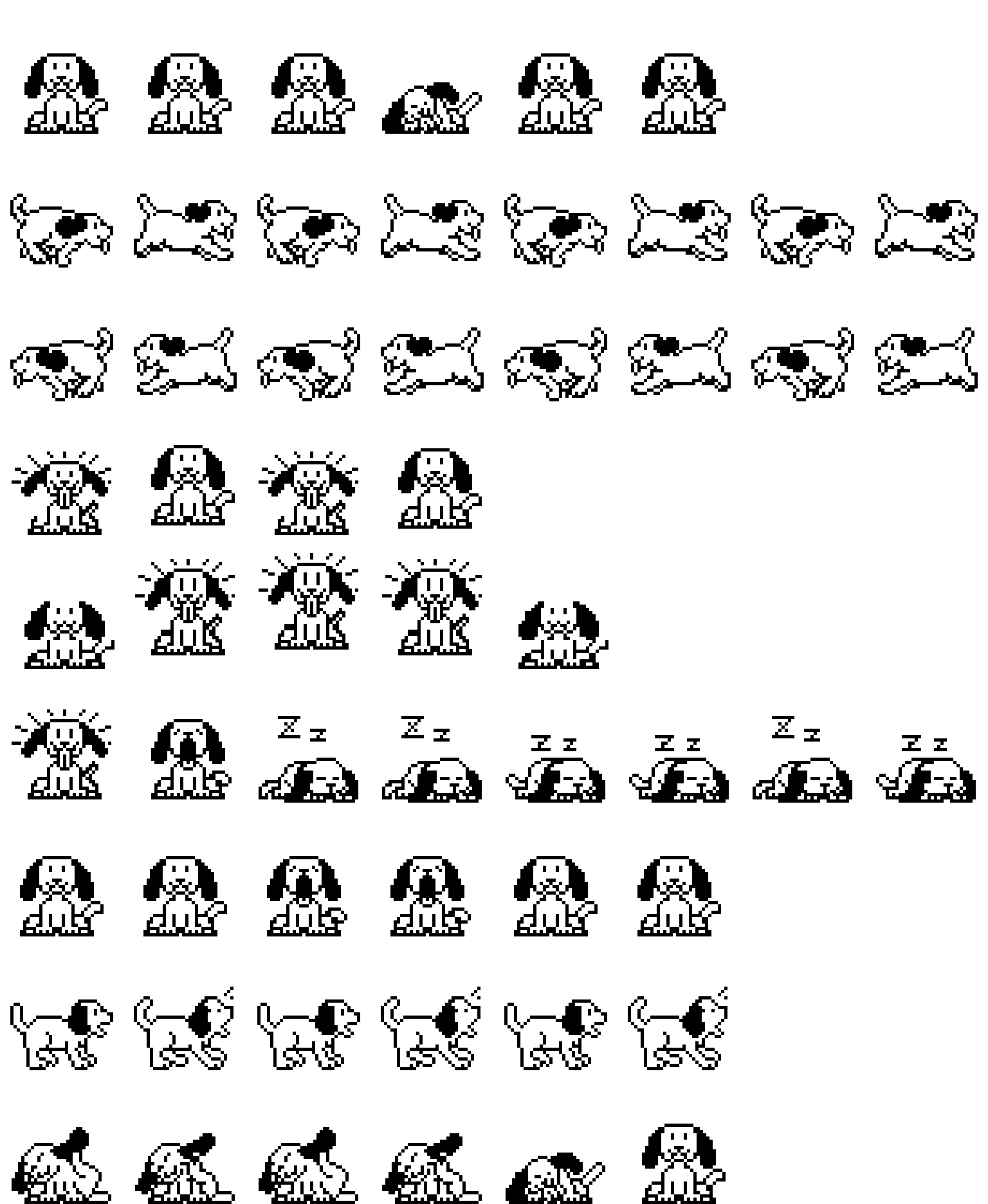
Koinu has the nine animations of the Codex pet format. Doja picks one to match what is happening: walking, saying hi, thinking about a reply, or waiting for you.
Idle
Standing around, breathing, blinking
Walk right
Walking to the right
Walk left
Walking to the left
Wave
Saying hi when you hover
Jump
A happy hop when you click or type a lot
Oops
Something went wrong
Waiting
Waiting for your reply
Working
Thinking about an answer
Review
Looking something over
About Koinu
Who drew Koinu.
Koinu ("puppy" in Japanese) is the dog from oneko, the classic desktop pet. Same original bitmaps, now walking on your Mac.
Koinu bitmaps from oneko by Masayuki Koba & Tatsuya Kato (public domain).
- License
- Public domain: Koinu is in the public domain.
- Kind
- animal
- Format
- Codex pet: a 1536 × 1872 sprite sheet (8 × 9 cells of 192 × 208) and a pet.json
- Files
- pet.json · spritesheet.webp
How to get Koinu
Put Koinu on your desktop.
- 1
Download Doja for Mac. It's free and needs macOS 13.3 or later.
- 2
Open Doja. Its icon, a tiny pet, appears in your menu bar.
- 3
Click it and choose Koinu under Pets. Pick as many pets as you like; they greet each other.
Using Codex? Download the two files on the left into ~/.codex/pets/koinu/ and Koinu works there too. Want to draw your own? Here's how.
More friends for Koinu
See all 21 pets · Clippy for Mac, Windows and Linux · Doja Radio